
Authenticated access
Require a user account and sign-in before platform records become available.
- Identity-based access
- Account session controls
Security & data
Use authenticated access, role-based permissions, separated laboratory contexts, controlled documents, and supported data movement to organize sensitive operational information.
Control model
Imports and exports use supported workflows
Verified platform concepts
These capabilities describe application controls only. They do not represent third-party certification, regulatory approval, or a guarantee of compliance.
Require a user account and sign-in before platform records become available.
Align platform access and available actions with assigned user roles and responsibilities.
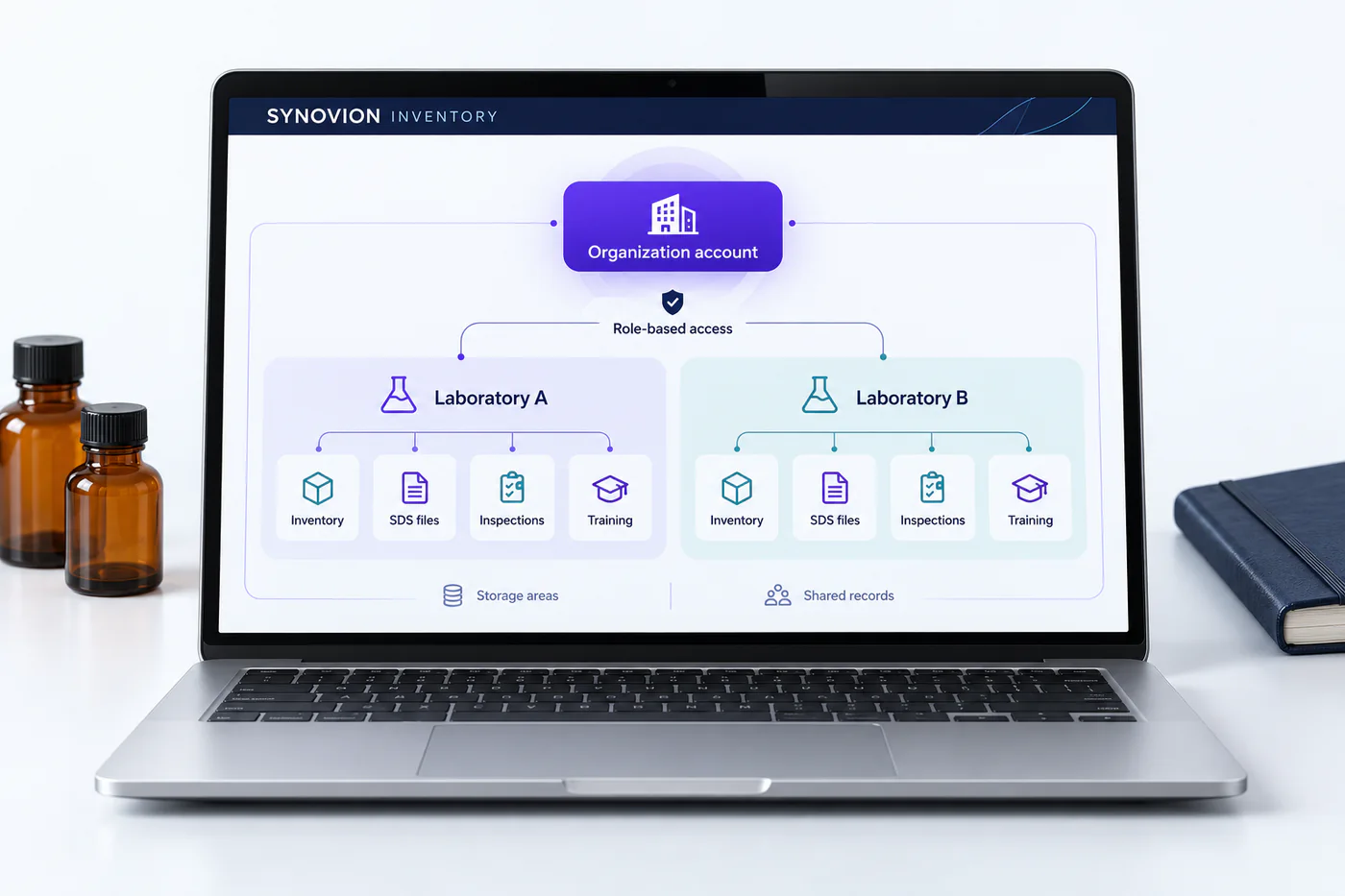
Organize records within account and laboratory contexts to support clear operational boundaries.
Keep SDS and supporting files in managed application storage, and use application permissions to support appropriate access to documents and related records.
Apply supported-file checks and application validation as documents are handled by platform workflows.
Move structured information through supported import and export capabilities for onboarding and operational use.
Account and laboratory separation
Document handling
Begin with an SDS or operational document intended for the platform.
Apply supported-file and application checks during the workflow.
Maintain the file within protected application storage.
Associate the document with relevant chemical or operational records.
Use assigned roles and application rules to shape availability.
Data import and export
Bring inventory records into the platform through supported CSV imports, and prepare structured exports for internal review or downstream use.
Map supported fields, check source data, and prepare records for platform organization.
Handle structured data through platform import workflows rather than direct database changes.
Export supported datasets for review, reporting, or authorized downstream use.
Shared responsibility
Discuss your requirements